
Key Takeaways:
- Connect ChatGPT to a database through APIs, middleware, or MCP—not unrestricted database credentials.
- Choose an API or controlled MCP architecture when you need secure, production-ready database access.
- Treat AI-generated SQL as untrusted input and validate queries before executing them.
- Use read-only permissions, least privilege, TLS, secret management, logging, and rate limits for security.
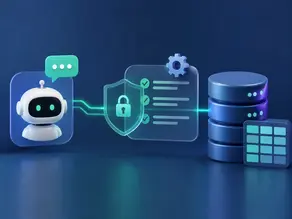
- ChatGPT handles reasoning, middleware controls access, and the database provides live business data.
Yes, AI can work with database data, but “giving ChatGPT your database password” is not the architecture you want.
A better approach is to place a controlled API, middleware layer, or MCP server between ChatGPT and your database. This layer can decide what data the AI can access, validate queries, enforce permissions, and log activity.
In this guide, you’ll learn how to connect ChatGPT to SQL databases, compare five common approaches, understand natural-language-to-SQL, and build a safer architecture for PostgreSQL, MySQL, or SQL Server.
What Does Connecting ChatGPT to a Database Actually Mean?
Connecting ChatGPT to a database means allowing an AI system to retrieve or work with information stored in your database.
ChatGPT does not need unrestricted access to your database. Instead, your application gives the model a controlled way to request data.
For example, a user could ask:
“Show me the top 10 customers by revenue this month.”
The system can translate that request into SQL, send the query through an approved connection, receive the results, and let ChatGPT explain them in natural language.
The basic flow is:
User question → ChatGPT → controlled access layer → Database → Results → ChatGPT
The access layer is important because it controls what the model is actually allowed to do.
How ChatGPT Talks to a Database
A typical architecture looks like this:
User → ChatGPT → Middleware/MCP → Database → Result
Each layer has a specific job.
ChatGPT understands the user’s request and determines what information is needed.
Middleware, or MCP, acts as the control layer. It can expose approved tools, validate requests, apply permissions, and prevent unwanted operations.
The database stores the actual business data and executes approved queries.
The result is returned to ChatGPT, which can summarize or explain it to the user.
This separation is important for security. The AI model should not become your database’s security boundary.
5 Ways to Connect ChatGPT With Your Database
Discover 5 practical ways to connect ChatGPT with your database, automate data access, streamline workflows, improve decision-making, and unlock smarter, faster insights from your business information.
1. Manual Schema + SQL
You can provide the model with database schema information and use generated SQL queries manually.
This is useful for experimentation, analysis, and small internal workflows.
However, it becomes inefficient when queries need to run automatically against live data. It also provides less control than a dedicated application layer.
Best for: testing and simple analysis.
2. API
An API is one of the most flexible approaches.
The architecture becomes:
ChatGPT → API → Backend → Database
Your backend controls authentication, allowed operations, database permissions, validation, and responses.
Instead of exposing the entire database, you can expose specific functions such as get_customer_revenue or search_orders.
Best for: production applications requiring strong control.
3. LangChain SQL Agent
Frameworks such as LangChain can help build applications where natural-language questions are converted into SQL and executed against a database.
An SQL agent can inspect schema information, generate queries, execute them, and return results.
This can accelerate development, but the generated SQL should still be validated and restricted before execution.
Best for: developers building AI-powered database applications.
4. MCP
MCP, or Model Context Protocol, provides a standardized way for AI applications to interact with external tools and data sources.
An MCP server can expose controlled database-related tools to an AI client instead of giving the model unrestricted database credentials.
MCP can simplify tool integration, but it does not automatically make a database connection secure. Authentication, authorization, query validation, and permissions still need to be designed correctly.
Best for: standardized AI-to-tool and AI-to-data integrations.
5. Managed Connector
Managed connectors can simplify the connection between an AI system and external data sources.
They can reduce development work because much of the authentication and integration infrastructure is already provided.
The trade-off is that you have less control than with a fully custom backend.
Best for: teams prioritizing speed and simpler implementation.
Which ChatGPT Database Connection Method Should You Choose?
Choose API or controlled MCP for production. Use Manual SQL for testing, LangChain for AI apps, and managed connectors for quick integrations with less setup.
| Approach | Setup | Control | Best For |
| Manual SQL | Easy | Low | Testing |
| API | Medium | High | Production |
| LangChain | Medium | High | AI applications |
| MCP | Medium | High* | AI tool/data access |
| Managed connector | Easy | Depends | Fast integrations |
*Actual security depends on implementation.
For a production system, an API or controlled MCP-based architecture is generally preferable to giving an AI model unrestricted database access.
How ChatGPT Turns Natural Language Into SQL Queries
One of the most useful capabilities is converting a normal question into a database query.
For example:
User: Show the top 10 customers by revenue.
The system may generate SQL similar to:
SELECT customer_name, SUM(revenue) AS total_revenue

FROM sales

GROUP BY customer_name

ORDER BY total_revenue DESC

LIMIT 10;
The database executes the approved query and returns the results.
ChatGPT can then turn those results into an understandable answer.
However, generated SQL should not automatically be trusted.
Your application should validate the query, restrict accessible tables, apply permissions, and prevent expensive or destructive operations.
Think of generated SQL as untrusted input until your application approves it.
How to Connect ChatGPT With PostgreSQL
For PostgreSQL, the overall architecture remains the same:
ChatGPT → API/MCP/Middleware → PostgreSQL
Your application needs PostgreSQL connection details, appropriate authentication, schema information, and a database role with only the permissions it requires.
For read-only AI use cases, create a dedicated read-only database user rather than reusing an administrative account.
You can expose specific database operations through an API or MCP server instead of allowing arbitrary SQL execution.
How to Connect ChatGPT With MySQL
MySQL can be connected using the same general architecture.
The main differences are the database driver, SQL dialect, authentication configuration, and schema.
For example:
ChatGPT → Backend → MySQL
The backend can receive a user’s request, generate or select an approved query, execute it using a restricted MySQL account, and return only the required data.
Again, avoid giving the AI unrestricted credentials simply because the connection works.
How to Connect ChatGPT With SQL Server
Microsoft SQL Server follows the same architecture:
ChatGPT → API/MCP → SQL Server
The implementation depends on your application’s database driver and authentication method.
For production environments, use a dedicated account with limited permissions and expose only the tables, views, or operations the AI actually needs.
The important principle is consistent across PostgreSQL, MySQL, and SQL Server:
Change the database connection; don’t change the security model.
How to Secure a ChatGPT Database Connection
Security should be designed before connecting an AI system to live business data.
Use Read-Only Access
If the AI only needs to answer questions, it usually does not need INSERT, UPDATE, or DELETE permissions.
Follow Least Privilege
Give the AI access only to the schemas, tables, views, and operations it actually needs.
Validate SQL
Never blindly execute arbitrary SQL generated by a model. Validate allowed operations and reject dangerous or unexpected queries.
Use TLS.
Encrypt traffic between your application and database so credentials and data are not transmitted insecurely.
Protect Secrets
Database passwords, API keys, and connection strings should be stored in a secure secrets-management system—not inside prompts, frontend code, or source repositories.
Log Database Activity
Record useful information such as the request, generated query, execution result, errors, and user context so suspicious activity can be investigated.
Apply Rate Limits
Limit expensive or repeated queries to reduce accidental overload and potential abuse.
The key principle is simple:
The model should not be your security boundary. Your application should be.
Common ChatGPT Database Connection Mistakes to Avoid
Avoid direct database access, weak security, poor permissions, missing validation, exposed credentials, and untested queries. Use APIs, access controls, validation, and monitoring for safer AI database connections.
- Giving ChatGPT unrestricted database credentials
- Using an administrator account for AI queries
- Executing generated SQL without validation
- Connecting the database directly to a public frontend
- Exposing sensitive columns unnecessarily
- Allowing unlimited or expensive queries
- Assuming MCP automatically provides database security
- Failing to log AI-generated database activity
A working connection is not necessarily a secure connection.
Conclusion
Connecting ChatGPT to a database is less about giving an AI access to SQL and more about designing the right control layer around that access.
You can use an API, SQL agent, MCP server, managed connector, or another integration depending on your requirements. For production, prioritize least privilege, read-only access, SQL validation, secure secrets, TLS, logging, and rate limits.
The safest mental model is simple:
ChatGPT reasons → middleware controls → database provides data.
That separation lets you build useful AI experiences with live database information without turning your database credentials into an AI security risk.
FAQ
Can ChatGPT directly connect to my SQL database?
It depends on the integration you use. In production, a controlled API, middleware layer, or MCP server is generally safer than exposing unrestricted database credentials.
Is MCP required to connect ChatGPT to a database?
No. MCP is one integration approach. APIs, application middleware, SQL agents, and managed connectors can also provide database access.
Can ChatGPT query live database data?
Yes, when the surrounding application provides an appropriate connection and permissions. The database must be accessible through a controlled integration layer.
Is it safe to give ChatGPT database access?
It can be safe when access is tightly controlled. Use least privilege, read-only permissions where possible, query validation, secure secrets, encryption, logging, and rate limits.
Which Architecture Is Best for Production?
For most production applications, use a layered architecture:
User → ChatGPT → API/MCP → Validation & Authorization → Read-Only Database → Result
ChatGPT handles natural-language reasoning.
The API or MCP layer controls what the AI can access.
The database stores the source data.
This architecture gives you a much stronger security and governance model than allowing the AI to connect directly with an unrestricted database account.
If your application needs live business data, start with the smallest set of database operations required and expand access only when there is a clear reason.

He is an AI & Technology Content Specialist covering generative AI, ChatGPT, AI tools, automation, and emerging technologies. His work focuses on researching complex AI developments and turning them into practical, easy-to-understand insights.


Pingback: How to Build an AI SQL Chatbot Step by Step