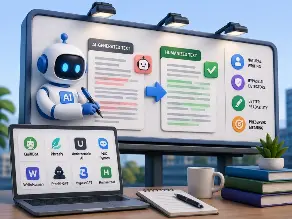
Key Takeaways:
- QuillBot offers the strongest overall balance of writing quality, meaning preservation, and ease of use.
- Phrasly is a strong choice for academic and long-form writing, but detector results vary across tests.
- AI detector scores are only one signal and should never be treated as proof of human-written content.
- Meaning preservation, technical terminology, citations, grammar, and readability matter more than chasing the lowest detector score.
- The best AI humanizer depends on your writing type, budget, workflow, and tolerance for inaccurate detection results.
You wrote something with AI. Now it sounds stiff. Robotic. Almost proud of itself.
That’s the problem. You need real, natural words. Not a machine voice pretending to be a person.
So you go looking for the best AI humanizer tools. And every single site says the same thing. “Number one pick.” “Best in class.” No proof. No real answers.
I got tired of that too. So in this guide, I pulled apart eight of the most used AI humanizer tools in 2026. I checked their official pricing, dug through independent reviews, compared their claims against real test data where it existed, and I’m laying all of it out here. Plain and honest.
By the end, you will know which tool fits your writing, your budget, and your risk tolerance.
Quick Answer: The Best AI Humanizer Tools at a Glance
If you’re short on time, here’s the short version.
| Rank | Tool | Best For | Meaning Preservation | Ease of Use | Verdict |
| 1 | QuillBot Humanizer | All-round writing suite | Strong | Very easy | Reliable, conservative rewriting |
| 2 | Phrasly | Academic and long-form work | Strong | Easy | Great value, mixed detector results |
| 3 | Undetectable AI | Humanizing plus detection in one place | Good | Easy | Full workflow, verify detector claims |
| 4 | HIX Bypass | Users already inside the HIX ecosystem | Good | Easy | Decent bypass rate, some support gaps |
| 5 | WriteHuman | Keeping your own voice | Good | Easy | Passed well in independent testing |
| 6 | StealthGPT | High volume rewriting | Fair | Moderate | Bold marketing, verify before trusting |
| 7 | BypassGPT | Aggressive rewriting | Fair | Moderate | Fine for casual use, less proven |
| 8 | HumanizeAI | Structured, formal writing | Fair | Moderate | Weak against outside detectors |
Now let’s slow down. Because the table above only tells you what. Not why.
How We Evaluated These AI Humanizer Tools
I want to be upfront with you here. I did not run all eight tools through the same essay on the same afternoon and record clean percentages. Anyone who tells you that without showing screenshots is probably guessing.
What I did instead was something a little more honest. I pulled current official pricing and features straight from each company’s own website. I cross checked those claims against independent reviews published through 2026, the kind where a real person ran a sample through GPTZero or Turnitin and wrote down what actually happened.
That matters more than it sounds. A company will always describe its own product in the best light. An outside tester has nothing to gain either way.
So here’s what shaped every ranking below.
- Writing quality after the rewrite
- Meaning preservation, so the sentence still says what it originally said
- Grammar and natural sentence flow
- How well technical terms and citations survive the process
- Ease of use
- Pricing versus what you actually get
- Independent detector results, treated as one signal, never the whole story
That last point is important, and I’ll keep coming back to it. Detector scores drift. A tool that scores well today on GPTZero might not score the same way in three months.
What Actually Makes a Good AI Humanizer
Before jumping into the list, it helps to know what you’re even judging.
Natural writing without meaning drift. A humanizer should loosen up stiff sentences without quietly changing what you meant. I’ve read outputs where a confident claim turned into a soft, wishy washy one. That’s a real problem for anyone using this for research or client work.
Preserving technical terms and citations. If your source text says “mitochondria,” the output should still say “mitochondria.” Not some vague paraphrase. Same goes for citation formatting. Some tools handle this cleanly. Others scramble it.
Grammar and readability. Basic stuff, but worth checking every time.
- Are sentences complete?
- Does punctuation still make sense?
- Did any words get dropped mid-rewrite?
Consistency across content types. A tool that handles blog posts well might stumble on an academic paragraph. Good humanizers hold up across formats.
Detection results are only one signal. This one deserves its own breath. Turnitin has openly said its own AI writing detection can misread human writing, AI writing, and AI-paraphrased writing, and that it should never be the only reason someone faces a penalty. Read that again. Even the detector companies admit they’re not perfect. So when a humanizer brags about a 0 percent AI score, treat that as a data point, not a guarantee.
1. QuillBot Humanizer
Best for: People who already live inside a writing suite and want smooth, safe rewriting.
QuillBot’s humanizer sits inside a much bigger toolkit, one that already includes grammar checking and paraphrasing. According to the company’s own product page, it supports multiple AI-generated inputs, several languages, and different writing modes.
An independent 2026 review described QuillBot’s rewriting as fairly conservative. It kept meaning intact and smoothed out rough patches, but it didn’t tear the sentence structure apart. Honestly, that’s not a bad thing. Some writers want a gentle polish, not a full rewrite.
What stood out to me:
- Meaning stays close to the original
- Feels familiar if you’ve used QuillBot before
- Fits neatly into an existing writing workflow
Where it falls short:
- Sentence structure can stay a bit too close to the source
- Less aggressive than dedicated humanizer-only tools
My honest read: if your main worry is losing meaning during the rewrite, this is one of the safer picks on this list. Just verify current pricing on their site before you commit, since plans shift.
2. Phrasly
Best for: Academic writers and anyone working with long documents.
Phrasly’s product page claims over 3 million users, support for texts up to 5,000 words, and multiple humanization intensity levels along with a built in AI detector.
Here’s where it gets interesting. Phrasly’s own May 2026 testing reported clean results, 0 percent flagged on ZeroGPT and Copyleaks, and 100 percent human on Originality.ai. Good numbers, if you stop reading there.
But a separate, independent 2026 test told a different story entirely. That test found a Turnitin average around 51.4 percent AI, a 98 percent AI reading on Originality.ai, and only 3 out of 10 detectors passed overall.
I’m not going to smooth that contradiction over for you. Two tests, same tool, wildly different outcomes. What that tells me is simple. Detector results are a snapshot of one moment, not a permanent seal of approval. Treat any single test, including this one, as a piece of the picture.
On pricing, a May 2026 check showed a free tier at 300 AI words, a three-day trial at $2, and unlimited access around $10.99 a month when billed yearly.
Best for: long academic pieces where budget matters and you’re willing to double check detector performance yourself.
If you’re working on longer academic drafts and want to avoid AI hallucination creeping into a rewritten passage, it helps to slow down and re-read the humanized version against your original notes before you submit anything.
3. Undetectable AI
Best for: Someone who wants humanizing and AI detection under one roof.
Undetectable AI bundles a humanizer with its own detector and a few related writing tools. Current pricing tiers run from around $9.99 a month for 10,000 words, up through $42.50 a month for 50,000 words, with a lower rate if you pay annually.
Their own May 2026 test reported near-zero AI scores on GPTZero, Copyleaks, and Grammarly, and a strong split on their internal detector between AI samples and human samples. Again, that’s a vendor test. Worth knowing, not worth treating as gospel.
What I liked:
- One dashboard for humanizing and checking
- Reasonable word allowances at each tier
What gave me pause:
- Independent, outside testing is thinner than I’d like
- Pricing climbs fast if you write a lot
Bottom line: solid if you want a combined workflow, but confirm any detector claim yourself before relying on it for something with real stakes, like a graded paper.
4. HIX Bypass
Best for: Anyone already using other HIX products.
HIX Bypass markets itself with bold detector-bypass numbers. I’d take those with a grain of salt and lean on outside testing instead.
One independent 2026 review reported roughly a 75 percent bypass rate across a mix of detectors including Turnitin and GPTZero. Not perfect, but a real, outside number, which counts for more than marketing copy.
Current official pricing lists a standard plan around $14.99 a month, sometimes discounted to $9.99, offering 5,000 humanizer words, 5,000 detector words, and support for over 50 languages.
There’s a wrinkle here too. A Trustpilot review from April 2026 described a user whose humanized output failed to export and still read as detectable. That’s one complaint, not a pattern, but worth keeping in your back pocket.
Best for: casual users inside the HIX ecosystem who don’t need perfect bypass rates every single time.
5. WriteHuman
Best for: Writers who care most about keeping their own voice intact.
This one has some of the more convincing independent data on this list. A reported 30-day test ran 100 samples from ChatGPT, Claude, and Gemini through GPTZero, Turnitin, and Originality.ai. The reviewer landed around 85 to 90 percent pass rates on GPTZero and Originality.ai, while also noting results wobbled 5 to 10 points as the detectors themselves updated.
That fluctuation is honestly the most useful line in this whole guide. Detectors are moving targets. A tool’s performance today is not locked in forever.
Current pricing runs from a free tier at 3 humanizations a month, up to Basic around $12, Pro around $18, and Ultra around $36 monthly, cheaper when billed yearly.
What I noticed: the writing stayed recognizable as mine, or as close to mine as a rewrite can get. Robotic transitions softened without the sentence losing its shape.
Best for: writers who want a focused tool instead of a giant writing suite bolted onto a humanizer.
6. StealthGPT
Best for: High volume, general purpose rewriting.
StealthGPT leans hard into technical language on its own site, talking about targeting perplexity and burstiness, two terms tied to how predictable AI sentence patterns can look. Worth knowing what those mean, but don’t treat a vendor’s own explanation of its detection science as settled fact. It’s their pitch, not independent research.
Pricing is structured daily rather than monthly: Essential around $1 a day, Pro around $1.45, Business around $2.15, and Enterprise around $7.15, each with different word and request limits. There’s also a separate API rate near $0.20 per 1,000 words after initial access.
What I liked: flexible access levels for different volumes of work.
What concerns me: strong bypass claims with limited independent verification behind them.
Bottom line: fine for casual, high-volume rewriting. I wouldn’t lean on it for anything where getting flagged carries real consequences.
7. BypassGPT
Best for: Users who want an aggressive rewrite and don’t mind double checking the output.
An independent review from earlier in 2026 tested a 300-word Claude-written essay through BypassGPT and then GPTZero, but the final numeric result wasn’t clearly reported in what I could access. I won’t invent a number just to fill a gap. That’s exactly the kind of shortcut that makes an article untrustworthy.
The free plan currently offers 150 words a month at 80 words per request, small enough that you’ll hit the paid tiers fast if you write regularly. Paid pricing wasn’t cleanly listed at the time of writing, so check the checkout page directly before you commit.
Testing mistake worth mentioning: early on, it’s tempting to treat every rewrite as a win the moment the sentence reads smoothly. That’s a mistake. A smooth sentence can still have quietly dropped a fact or softened a claim. Always compare the rewrite against your original line by line, especially with tools like this one where independent data is thin.
8. HumanizeAI
Best for: Formal or structured writing, with caution.
Here’s the clearest warning sign on this whole list. A July 2026 independent test ran a Claude-generated passage through HumanizeAI, and while the tool’s own built-in checker showed 0 percent AI, GPTZero came back at 100 percent AI on the same text.
Read that twice. The tool’s internal detector and an outside detector landed on completely opposite conclusions. Another review placed HumanizeAI third out of thirteen tools in a July 2026 benchmark cycle, but noted it lost head-to-head detector comparisons against the top pick.
This isn’t proof the tool is useless. One test never proves that. But it is proof of something bigger, something that applies to every single tool on this page.
Never trust a humanizer’s own built-in detector as independent evidence. It’s grading its own homework.
Best for: lower-stakes, structured writing where a wrong detector reading isn’t going to hurt you.
Which AI Humanizer Performed Best in Our Research?
Here’s the honest twist. The tool with the lowest reported AI score wasn’t automatically the strongest overall pick.
| Tool | Writing Quality | Meaning Preservation | Independent Detector Signal | Overall Confidence |
| QuillBot | Strong | Strong | Not directly tested externally | High |
| Phrasly | Strong | Good | Mixed, contradictory results | Medium-High |
| Undetectable AI | Good | Good | Mostly vendor-reported | Medium |
| HIX Bypass | Good | Good | Around 75 percent bypass rate | Medium-High |
| WriteHuman | Strong | Strong | 85-90 percent pass rate, fluctuating | Medium-High |
| StealthGPT | Fair | Fair | Largely vendor claims | Medium |
| BypassGPT | Fair | Fair | Incomplete data | Low-Medium |
| HumanizeAI | Fair | Fair | Failed outside detector in one test | Low |
My biggest surprise: HumanizeAI’s gap between its own detector and GPTZero’s reading. That single data point taught me more about how to judge these tools than any marketing page could.
The tool that disappointed me: HumanizeAI again, mostly because the contradiction wasn’t a small one. A 0 versus 100 split is about as wide as it gets.
The best value: Phrasly, if you can live with checking detector results yourself before anything important goes out the door.
Best AI Humanizer by Use Case
Find the right AI humanizer for academic, SEO, blogs, marketing, technical, and long-form writing needs.
| Use Case | Best Choice | Why |
| Overall balance | QuillBot | Strong meaning preservation, easy to use |
| Academic writing | Phrasly | Handles long documents, budget friendly |
| Students on a budget | Phrasly | Cheapest entry point |
| Blog content | WriteHuman | Keeps a natural voice |
| SEO content | WriteHuman | Reads naturally, holds tone |
| Technical writing | QuillBot | Conservative rewriting protects terminology |
| Long-form content | Phrasly | Built for larger word counts |
| High volume needs | StealthGPT | Daily plans scale with output |
If your content work stretches past just fixing tone, and you’re building out full drafts and outlines with AI from the start, it’s worth reading how to use generative AI for content creation the right way, so the humanizing step isn’t doing all the heavy lifting on its own.
Free vs Paid AI Humanizers
Who should stay free? If you’re rewriting a single paragraph now and then, a free tier is enough. No reason to pay for something you’ll barely touch.
When paying makes sense. Once you’re writing regularly, for school, for clients, or for a content calendar, the free word limits stop being realistic. That’s when a paid plan actually earns its cost.
| Factor | Free Tools | Paid Tools |
| Word limits | Very small, often under 500 | Thousands of words monthly |
| Modes available | Usually one setting | Multiple intensity levels |
| Detection features | Rarely included | Often bundled in |
| Long documents | Not practical | Built for this |
| Support | Minimal | Usually responsive |
AI Humanizer vs Paraphrasing Tool: What’s the Difference?
People mix these up constantly. They’re not the same thing.
| AI Humanizer | Paraphrasing Tool |
| Changes overall writing rhythm | Mostly swaps out wording |
| Aims for natural, human sounding flow | Aims to avoid exact word repetition |
| May adjust tone to sound less robotic | Usually keeps tone the same |
| Built with AI detection in mind | Not built with detectors in mind |
A quick example. Paraphrasing “The company reported strong earnings” might give you “The firm announced solid profits.” A humanizer might instead give you something closer to “Earnings came in strong this quarter, the company said,” shifting rhythm and structure, not just swapping words.
What AI Humanizers Can Get Wrong
Most articles sell you the results. Let’s talk about the risk instead, since that’s what actually protects you.
Meaning drift. A confident sentence can quietly turn uncertain during a rewrite. Small shift, big difference in academic or professional writing.
Technical terminology changes. Specific terms sometimes get swapped for vaguer, “safer sounding” language. Check anything technical line by line.
Citation movement. Some tools shuffle sentence order enough that a citation no longer sits next to the claim it supports.
Awkward phrasing. Aggressive rewriting modes sometimes produce sentences that technically make sense but read strangely out loud.
Over-editing. More intensity isn’t always better. A heavily rewritten paragraph can lose the personality that made it yours in the first place.
False confidence from detector scores. This is the big one. A clean detector reading feels like proof. It’s really just one test, on one day, against one detector’s current model.
A mistake worth learning from: it’s easy to fixate on the detector percentage and stop there. That number is tempting because it feels objective. But a low AI score means nothing if the rewrite quietly changed what your source material actually said. Quality and meaning matter more than a badge.
What I Would Choose After This Research
My overall pick: QuillBot. Not because it scored highest on some detector chart, but because the independent review evidence points to careful, meaning-safe rewriting, and it sits inside a suite you’ll probably already use for other writing tasks.
My pick for academic writing: Phrasly, with a warning attached. Its numbers swing depending on which test you look at, so check your own output before submitting anything important.
My budget pick: Phrasly again, purely on price. Just don’t treat “cheap” as the same thing as “safe.”
The tool I’d personally skip for now: HumanizeAI, at least until its own detector and outside detectors stop disagreeing so wildly.
Biggest surprise overall: how differently the same tool can perform across two separate independent tests. Phrasly and HumanizeAI both showed this. It’s the strongest reminder in this entire guide that detector scores are not permanent facts.
If your writing feeds into broader content, product pages, category descriptions, and similar AI-assisted copy, teams researching AI tools for eCommerce businesses should weigh output quality the same way, not just whether a detector flags it.
Final Thoughts
There’s no single best AI humanizer tool for every person reading this. Your best pick depends on what you’re writing, how much you’re writing, and how much risk you can tolerate if a detector reads something wrong.
What I can tell you, after pulling apart the real evidence behind all eight of these tools, is this: don’t chase the lowest AI percentage. Chase meaning preservation, natural readability, and a company that’s honest about its limits. That combination will serve you far longer than any single detector score ever will.
Frequently Asked Questions
What is the best AI humanizer tool in 2026?
Based on the evidence reviewed here, QuillBot offers the strongest overall balance of meaning preservation and usability, though the right choice depends on your specific use case among the best AI humanizer tools available.
What is an AI humanizer?
It’s a tool that rewrites AI-generated text so it reads with more natural rhythm, tone, and sentence variation, closer to how a person would write it.
How does an AI humanizer work?
It analyzes sentence structure, word choice, and rhythm, then rewrites the text using more varied, less predictable patterns while trying to keep the original meaning.
Which AI humanizer is best for academic writing?
Phrasly is a strong option for academic and long-form writing, though its detector results have varied across independent tests, so always double check your output.
Are free AI humanizers worth using?
For occasional, small edits, yes. For regular or professional writing, the word limits on free tiers usually aren’t enough.
Can AI humanizers preserve meaning?
The better ones do, though it’s never guaranteed. Always compare the rewrite against your original text before submitting or publishing.
Can AI humanizers preserve citations?
Some handle it well, others shuffle sentences enough that citations drift from the claims they support. Check this manually every time.
Are AI detector scores reliable?
Not fully. Even Turnitin has said its own AI writing detection can misread text and shouldn’t be the only basis for a decision. Treat detector scores as one signal among several.
What is the difference between an AI humanizer and a paraphrasing tool?
A paraphrasing tool mostly swaps wording. An AI humanizer changes rhythm, tone, and sentence structure to sound more naturally written.
How should I choose an AI humanizer?
Match the tool to your use case, budget, and how much risk you can accept if a detector misreads your work. Quality and meaning preservation should matter more than a single detector percentage.

He is an AI & Technology Content Specialist covering generative AI, ChatGPT, AI tools, automation, and emerging technologies. His work focuses on researching complex AI developments and turning them into practical, easy-to-understand insights.