Key Takeaways:
- OpenClaw is an AI agent that performs tasks across apps, files, and workflows instead of only answering questions.
- It uses AI models, tools, integrations, and automation workflows to complete multi step tasks with less manual effort.
- OpenClaw is free as software, but hosting, API usage, and infrastructure create ongoing operational costs.
- Security depends on permissions, authentication, trusted skills, and careful management of connected data and accounts.
- OpenClaw suits users seeking automation, but beginners should understand setup, risks, and limitations before adoption.
You keep seeing the name everywhere. Reddit threads. Twitter posts. A friend messaged you last week asking if you tried it yet.
And you still don’t know what it actually is.
That confusion is normal. New AI tools show up every month and most of them fade fast. So the real question you want answered is simple. What is OpenClaw AI tool, and is it actually worth your time?
This blog answers that. What it is, how it works, what it costs, and whether it is safe to use.
What Is OpenClaw AI Tool?
Here is the short answer first.
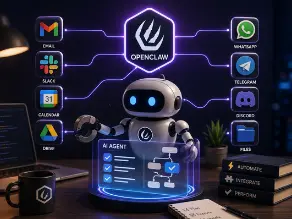
OpenClaw is a self hosted personal AI assistant. It connects to your apps, your messages, and your files. Then it performs tasks for you instead of just chatting back.
That is the big difference. A normal chatbot talks. OpenClaw acts.
Think about it like this. You ask a chatbot to write an email. It gives you the text. You still copy it, open your email app, paste it, and send it yourself.
OpenClaw does the whole thing. Write it, open the app, send it. You just gave the instruction.
This is what people mean when they say AI agents. It is not a buzzword for nothing. Agentic AI means the system can reason, plan, and take real action across tools.
| Traditional AI Chatbot | OpenClaw AI Agent |
| Answers questions | Performs tasks |
| Text based | Action based |
| Limited integrations | Connects with tools |
So when someone asks what is OpenClaw AI tool, the honest answer is this. It is a bridge between your instructions and actual work getting done, without you touching ten different apps.
Why Is Everyone Talking About OpenClaw AI?
I will be honest. The growth numbers here are a little insane.
OpenClaw crossed 346,000 GitHub stars in under five months. React took over ten years to hit 250,000. OpenClaw passed that mark in 60 days.
Monthly visitors sat around 7.25 million in February 2026. By April, that number jumped to 38 million. Active users touched 3.2 million, with 92 percent retention, which honestly is a very high number for any software.
That is not hype from a marketing team. Those are public numbers pulled from GitHub, SimilarWeb, and community reports.
When I first started reading about AI agents a few years back, the confusion I saw most often was this. People treated agents like fancier chatbots. They are not the same thing at all.
An agent remembers context across steps. It calls tools. It makes small decisions along the way without you approving every single click. That shift, from AI answering to AI doing, is the entire reason this space is moving so fast right now.
How Does OpenClaw AI Work?
Let’s break this into simple steps. No jargon, just how it actually flows.
1. You Give An Instruction
You type or speak what you want. Something like, summarize my unread emails and draft replies.
2. The AI Model Reads And Understands
Behind the scenes, OpenClaw connects to a large language model. This could be Claude, GPT, Gemini, or even a local model running through Ollama. The model reads your request and figures out what steps are needed.
3. Tools And Integrations Take Over
This is the agentic workflow part. The system calls APIs, opens the right app, pulls the right file, or messages the right platform. Channels like WhatsApp, Telegram, Discord, and Slack are common connection points.
4. The Task Gets Finished
Once every step runs, OpenClaw reports back. Task done, or here is what I found.
All of this runs through something called the OpenClaw Gateway. Think of it as the control center. Sessions, skills, and channels all pass through it. There is also an OpenClaw CLI for developers who like working from the command line, and a Workspace where agent activity gets tracked.
This is what people mean by tool calling and reasoning engines. It sounds technical, but the idea is basic. The AI decides what tool fits the job, then uses it.
Key Features Of OpenClaw AI Tool
Let’s go feature by feature. Quick, clear, no fluff.
AI Task Automation
Repetitive stuff gets handled without you lifting a finger. Sorting emails, scheduling, basic research tasks.
Application Integration
OpenClaw connects with messaging apps, calendars, and file systems. That includes calendar management and file management directly through the agent.
Custom Skills
Skills are like plug and play abilities. Community members build them and share them through ClawHub, the skills marketplace tied to the project.
File And Data Handling
The agent can read, sort, and organize files without you manually opening each one.
Workflow Management
Multi step tasks get chained together. One instruction can trigger five actions in sequence.
Developer Customization
Because it is open source software, developers can extend it with plugins and extensions, or build entirely new skills from scratch.
What Do People Use OpenClaw AI For?
Real use cases matter more than theory. Here is where people are actually applying it.
| Use Case | How OpenClaw Helps |
| Email automation | Manages repetitive communication |
| Research | Collects and organizes information |
| Development | Helps automate coding workflows |
| Business operations | Reduces manual tasks |
Individuals use it for daily digital assistant work. Reminders, calendar checks, quick research summaries.
Developers use it to automate boring parts of coding. Running scripts, checking logs, managing repositories.
Businesses use it for something bigger. Operational efficiency across teams, not just one person’s inbox.
OpenClaw AI For Businesses: Practical Applications
This is where the tool starts showing its real weight.
Customer Support
Support teams are using automation to handle first response messages, ticket sorting, and basic customer questions before a human even sees them. It cuts down response time by a lot.
Marketing Operations
Businesses are already combining AI automation with traditional marketing tool solutions to improve customer engagement and reduce repetitive work. Campaign scheduling, content sorting, basic reporting, all of it gets lighter.
Marketing automation paired with agentic workflows means fewer manual hours spent on tasks that used to eat a whole afternoon.
Is OpenClaw AI Free?
Short answer, sort of, but not fully.
The core software is open source. That part costs nothing. You can download it, install it, and run it without paying a license fee.
But here is what people miss. Free software still needs a place to run.
Cost areas that show up anyway.
Hosting your instance somewhere.
AI model usage through an API, since the reasoning still comes from a language model provider.
Infrastructure costs if you scale beyond personal use.
So is OpenClaw free? The software, yes. Running it properly, not really.
How Much Does OpenClaw AI Cost?
Real numbers help more than vague answers, so here they are.
| Cost Area | Possible Expense |
| Software | Free, open source |
| AI API | Depends on provider |
| Hosting | Depends on setup |
| Business deployment | Higher cost |
According to OpenclawVPS statistics, most individual users land between 20 and 32 dollars a month total. That splits into 3 to 12 dollars for VPS hosting and 5 to 20 dollars for AI API usage. Budget setups can run as low as 8 dollars monthly. Heavy users touch 60 dollars.
Source, OpenclawVPS statistics dashboard, https://openclawvps.io/blog/openclaw-statistics
Business deployments obviously go higher, since you are running more instances and heavier workloads.
Is OpenClaw AI Safe To Use?
I want to be straight with you here. This part matters more than any feature list.
OpenClaw itself is not designed as a malicious tool. But like any AI agent with access to your data, security depends entirely on how you set permissions.
And the numbers back that concern up. Security researchers found over 135,000 exposed instances across 82 countries, with more than 50,000 vulnerable to remote code execution. Nine CVEs got disclosed in just four days in March 2026, one scoring 9.9 out of 10 on severity. Over 800 malicious skills were flagged inside ClawHub too.
That is not meant to scare you off. It is meant to make you careful.
Risks to actually watch for.
Data access permissions given too broadly.
Prompt injection, where a malicious instruction hides inside content the agent reads.
Third party plugin risks from unverified skills.
Weak authentication on exposed gateways.
One mistake I keep seeing people make with AI agents, any agent, not just this one, is giving them too much access too early. You do not hand a new employee your bank password on day one. Treat agent permissions the same way.
Basic protection habits.
Keep authentication turned on always.
Review any skill before installing it.
Apply security patches quickly, since the project ships updates fast.
Start with low risk tasks before connecting sensitive accounts.
Did OpenAI Buy OpenClaw?
Yes, and this confuses a lot of people, so let’s clear it up.
On February 15, 2026, OpenAI acquired the project. Peter Steinberger, the original solo developer, joined OpenAI to lead agent work there.
But here is the part people miss. The project itself moved to an independent foundation. It stayed open source and model agnostic. That means you can still run Claude, GPT, DeepSeek, or local models through Ollama, not just OpenAI’s own models.
OpenAI sponsors the foundation. It does not fully control it. That distinction actually matters a lot for trust in the ecosystem.
OpenClaw AI App, GitHub And Documentation
For anyone technical, or just curious about digging deeper, here is where to look.
Official documentation covers setup, the gateway architecture, sessions, and skill development, available at https://docs.openclaw.ai/
The GitHub repository holds the full source code and community discussions, available at https://github.com/openclaw/openclaw
The official website gives a general overview and installation guidance, available at https://openclaw.ai/
The developer community around this project is active. Over 1,200 contributors, thousands of forks, and new releases dropping every few days.
OpenClaw AI vs Traditional AI Tools
A quick side by side helps put things in perspective.
| Factor | OpenClaw | Chatbots |
| Purpose | Automation | Conversation |
| Actions | Yes | Limited |
| Integrations | High | Medium |
Chatbots are great for quick answers. Ask a question, get a response, done.
OpenClaw is built for a different job entirely. Multi step tasks, tool calling, connecting different platforms into one flow.
Ecommerce Automation And AI Tools For Ecommerce Companies
Online stores are also exploring ecommerce ai agents to handle customer questions, product recommendations, and order related workflows. That kind of automation used to need a whole support team working shifts.
As AI adoption grows, many eCommerce Businesses Ai tools are becoming part of daily operations for inventory tracking, customer support, and overall customer experience. It is not a future trend anymore. It is already happening quietly in the background of stores you shop from.
Common Mistakes People Make When Using OpenClaw AI
Learned mostly by watching others stumble here, honestly.
Giving Excessive Permissions
Connecting every account on day one feels efficient. It is actually the fastest way to create a security problem.
Installing Unknown Extensions
Not every skill on the marketplace gets reviewed carefully. Some do carry risk. Check before you install.
Expecting Full Autonomy
This is not a set it and forget it tool. It needs oversight, especially early on.
Ignoring Security Settings
Authentication exists for a reason. Skipping it because it feels like extra steps is how instances end up exposed publicly.
Should You Use OpenClaw AI Tool?
Depends entirely on what you actually need day to day.
Good fit for developers who like tinkering, people already deep into automation, and anyone curious about where AI agents are heading next.
Not a great fit if you only want quick chat answers, or if your business handles sensitive data without a proper security setup already in place.
My honest recommendation, evaluate based on your workflow. If you need a personal AI assistant that can actually complete tasks, not just talk, it is worth trying. If simple answers are all you need, a regular chatbot does the job fine.
Final Thoughts
So, what is OpenClaw AI tool, really, once you strip away the noise?
It is a shift. A shift from AI that only talks, toward AI that actually gets things done across your apps and workflows.
It comes with real benefits, real automation power, and genuine productivity gains. It also comes with real risks, especially around security and permissions, so treat it with the same care you would give any tool that touches your personal data.
OpenClaw represents a bigger change happening across AI right now. Tools are moving from answering questions to completing tasks. Whether you jump in today or wait and watch a little longer, that shift is not slowing down anytime soon.
FAQ
What is OpenClaw AI tool?
It is a self hosted personal AI assistant that connects apps, messages, and files together, then completes tasks using AI agents instead of just answering questions.
What do people use OpenClaw for?
Email automation, research, coding workflows, customer support, and general business operations.
Is OpenClaw free?
The core software is open source and free. Running it still costs money for hosting and AI API usage.
How much does OpenClaw cost?
Most users spend between 20 and 32 dollars monthly, covering hosting and API costs combined.
Is OpenClaw safe?
It can be, if permissions and authentication are set up properly. Past security incidents show real risks exist when instances are left exposed.
Did OpenAI buy OpenClaw?
Yes, OpenAI acquired the project in February 2026, though it now runs under an independent, model agnostic foundation.
Does OpenClaw work on Android?
It connects through messaging channels like WhatsApp and Telegram, which work fine on Android, though the core system itself runs on a server or VPS rather than directly as a phone app.

He is an AI & Technology Content Specialist covering generative AI, ChatGPT, AI tools, automation, and emerging technologies. His work focuses on researching complex AI developments and turning them into practical, easy-to-understand insights.